



CleoPic AI logoCleoPic AI

AI Twitch Emote Maker

The AI Twitch emote maker is an emote maker for Twitch that draws a brand-new square emote from an idea you type or a selfie you add, with the bold lines and big expression that still read at 28 pixels in chat. Describe the reaction, pick a transparent background, then download a PNG that Twitch can resize for you.

Model
References (optional)
References (optional)0/16

Up to 16 reference images · JPEG, PNG or WebP. Larger images are resized to fit.

256 / 20,000

Number of Images
Paid Feature
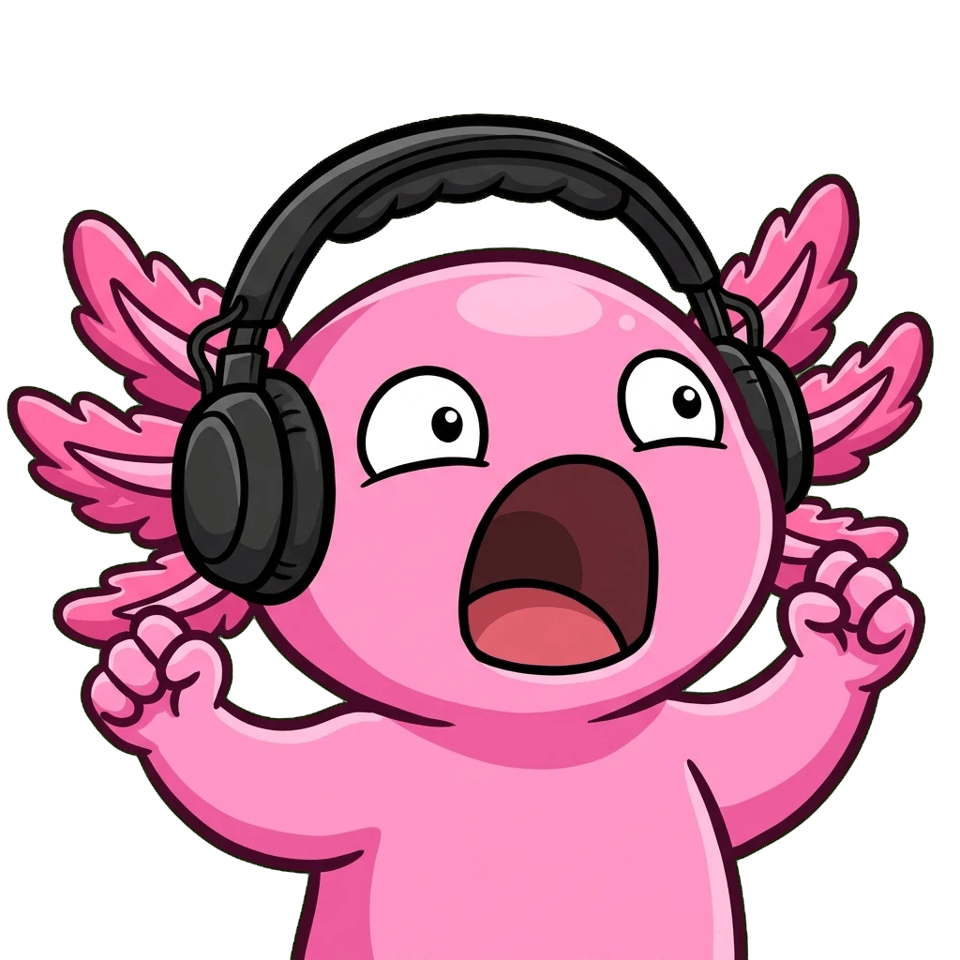
  • Twitch emote of a chubby pink axolotl in a black gaming headset screaming with excitement, eyes wide and both tiny arms raised, with a thick dark outline on a transparent background
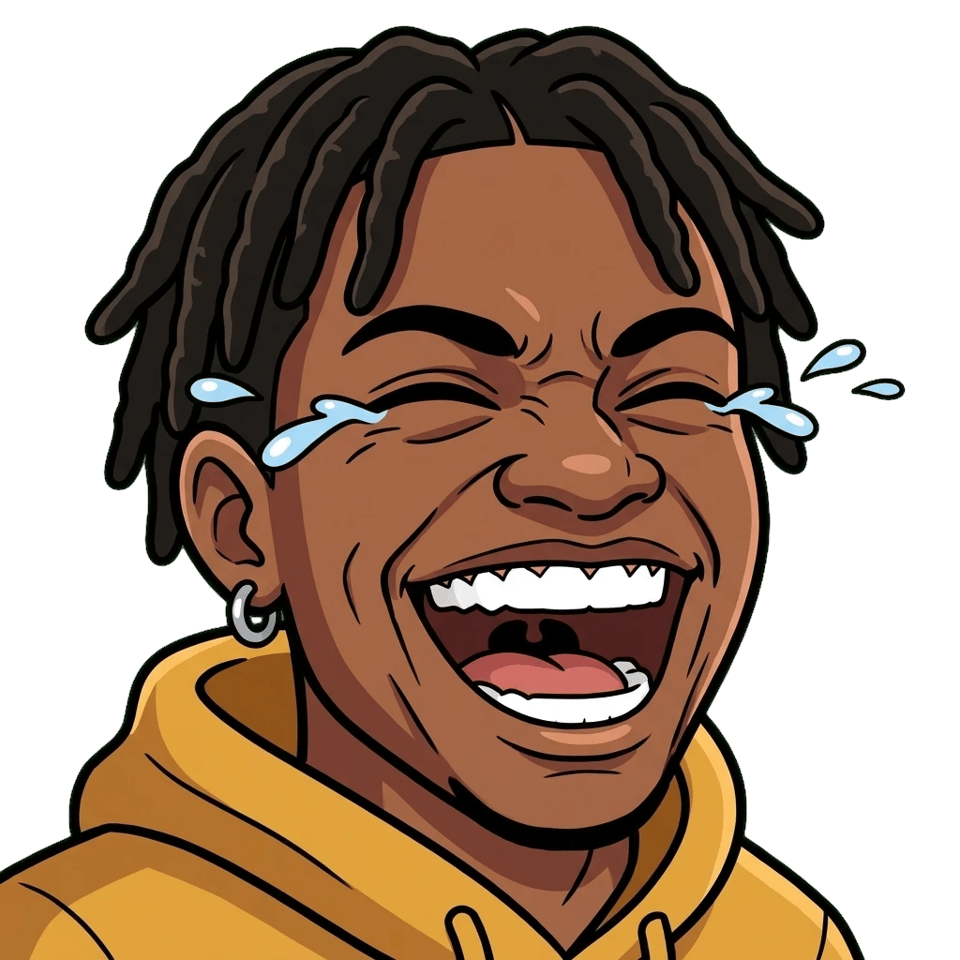
  • Cartoon Twitch emote of the same young man with short locs, a silver hoop earring and a yellow hoodie laughing with his eyes squeezed shut and tears flying, on a transparent backgroundSelfie of a smiling young man with short locs, a silver hoop earring and a yellow hoodie, sitting in front of a microphone in a softly lit room
  • Chibi Twitch emote of the VTuber girl with lavender twin tails, cat-ear headphones and a purple jacket winking and giving a thumbs up beside a small sign that reads GG, on a transparent backgroundAnime-style half-body illustration of a VTuber girl with long lavender twin tails, white cat-ear headphones and a purple jacket, smiling and waving

How to Make a Twitch Emote With AI

Type the character, the emotion and one prop in the Prompt box of the AI Twitch emote maker, or click Add to upload a selfie or your character art.

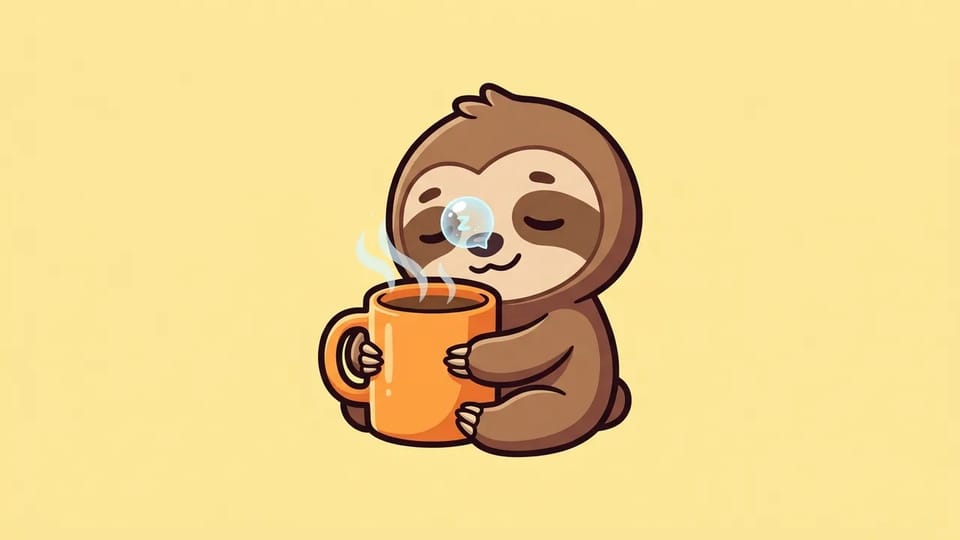
Cartoon emote of a sleepy brown sloth with closed eyes and a sleep bubble, hugging a steaming orange coffee mug, with a thick dark outline on a plain pale yellow background

Describe an Emote and the AI Twitch Emote Maker Draws It

Type who is in the emote, the one emotion it shows and a single prop, and the AI Twitch emote maker draws it as a finished emote: “a sleepy sloth hugging a coffee mug, eyes half closed, thick dark outline”. With the AI Twitch emote maker you do not draw, trace or pick parts from a menu, so you can create Twitch emotes for any idea your chat comes up with, in an emote maker for Twitch that works in the browser.

Write the idea the way you would brief a Twitch emote designer: character, reaction, colors and the words “Twitch emote” at the end. The emote creator keeps the face large and the pose simple, which is what an emote needs. Stuck on the wording? Optimize prompt in the AI Twitch emote maker turns a short idea into three fuller prompts to pick from.

Describe My Emote
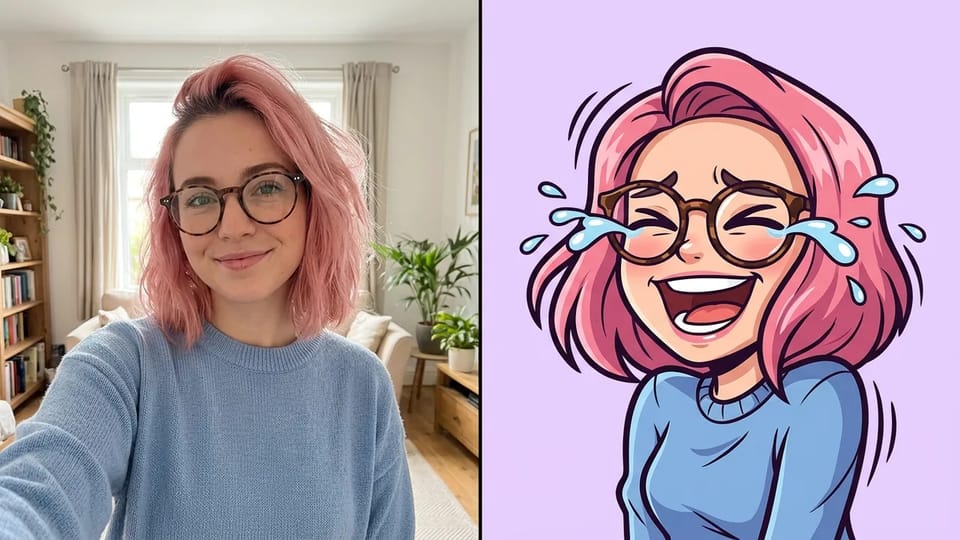
Side-by-side picture with a selfie of a young woman with a pink bob and round glasses on the left and a cartoon emote of the same woman laughing with tears in her eyes on the right

Turn Your Selfie Into an Emote That Looks Like You

Click Add, upload a selfie and write the reaction you want, such as “laughing so hard I am crying”, and the AI Twitch emote maker draws you as a cartoon emote with your hair, glasses and face shape kept. That is how to make a Twitch emote of yourself without paying an artist for every face your chat asks for.

Twitch’s own tip for photo emotes is good lighting: a clear, front-facing selfie with the whole face visible gives the AI Twitch emote maker the most to work with. Name the things people know you by, like a beanie or a headset, so the emote creator keeps them and the emote still looks like you once it shrinks in chat. It is an emote maker for Twitch that works from the face you already have. Turning a photo into a standard emoji for texting is a separate job for a photo to emoji converter.

Upload My Selfie
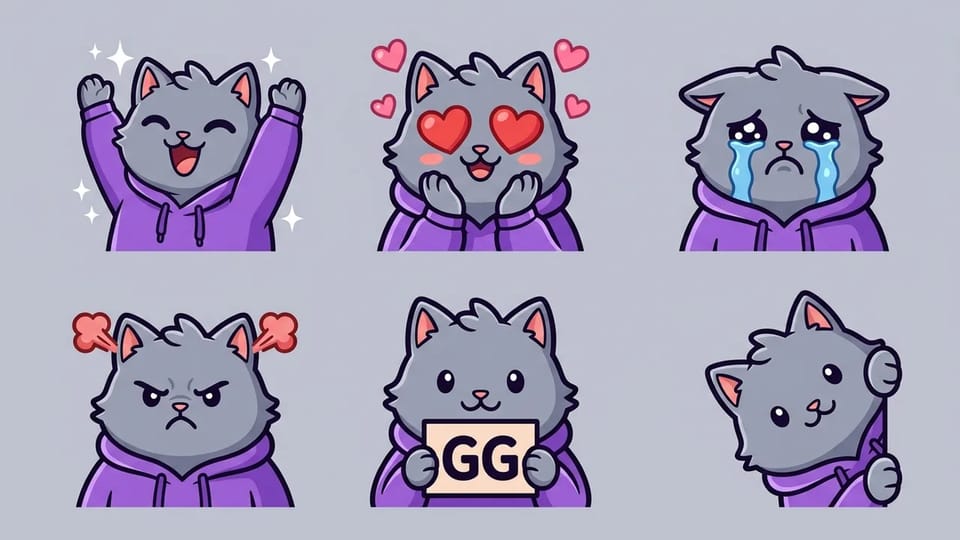
Grid of six cartoon emotes of the same grey cat in a purple hoodie: cheering, heart eyes, crying, angry, holding a sign that reads GG, and peeking from the side

Make a Matching Emote Set From One Character

Once one emote looks right, add it as a reference image and ask the AI Twitch emote maker for the next reaction: “same cat, same purple hoodie, now cheering with both arms up”. Change only the emotion each time and the face, colors and outline stay the same, so your hype, love, sad and GG emotes read as one set. That is how to make a Twitch emote set without hiring a Twitch emote designer for every slot.

Twitch suggests linking your emotes by style and color, and a set built in the AI Twitch emote maker does that on its own. Fill your first slots now and return to the AI Twitch emote maker to create Twitch emotes in the same style each time your channel unlocks more. For a long series of pictures of the same character outside chat, such as comic panels or posts, use the consistent character generator.

Build My Emote Set
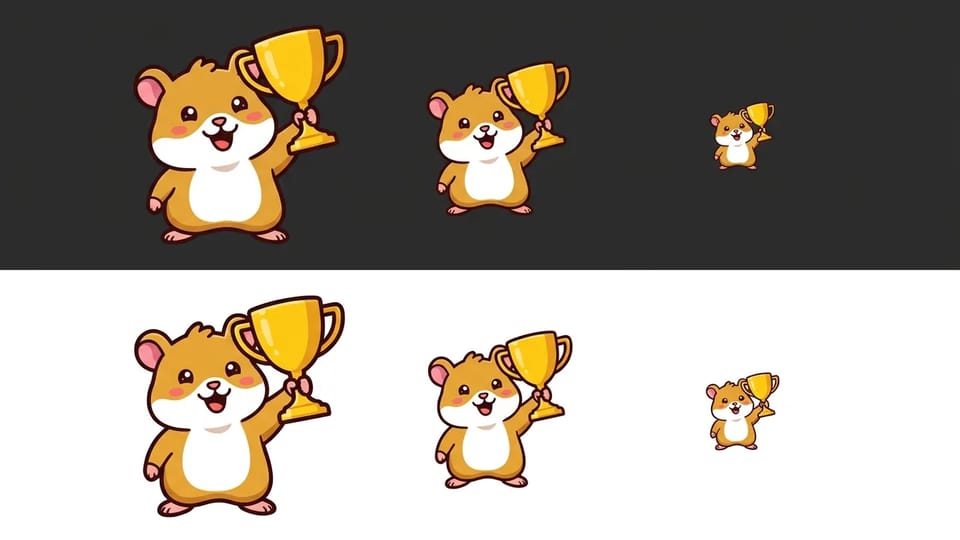
The same cartoon emote of a cheering hamster holding a gold trophy shown large, medium and small on a dark charcoal strip and again on a white strip

Keep Every Emote Readable at 28 Pixels

Twitch shows most emotes at 28 by 28 pixels in chat, so a good emote is one big face, one clear emotion and a thick outline. That is the first rule of how to make a Twitch emote people actually use. Ask the AI Twitch emote maker for “bold dark outline, simple shapes, exaggerated expression, no small details”, and leave long words, thin lines and busy backgrounds out of the prompt.

Chat runs in dark mode and light mode, so look at every emote from the Twitch emote maker on both. Shrink the download to 28 pixels before you upload; if you cannot tell the emotion at a glance, simplify the prompt and run the AI Twitch emote maker again. Twitch also asks you to view an emote at 100%, so zoom in on the PNG from the Twitch emote maker and make sure every line is sharp and every letter is correct.

Make a Readable Emote

What Streamers Make With the AI Twitch Emote Maker

New Affiliates, VTubers, community mods and anyone with a running joke in chat use the AI Twitch emote maker to create Twitch emotes and fill emote slots without commissioning every design.

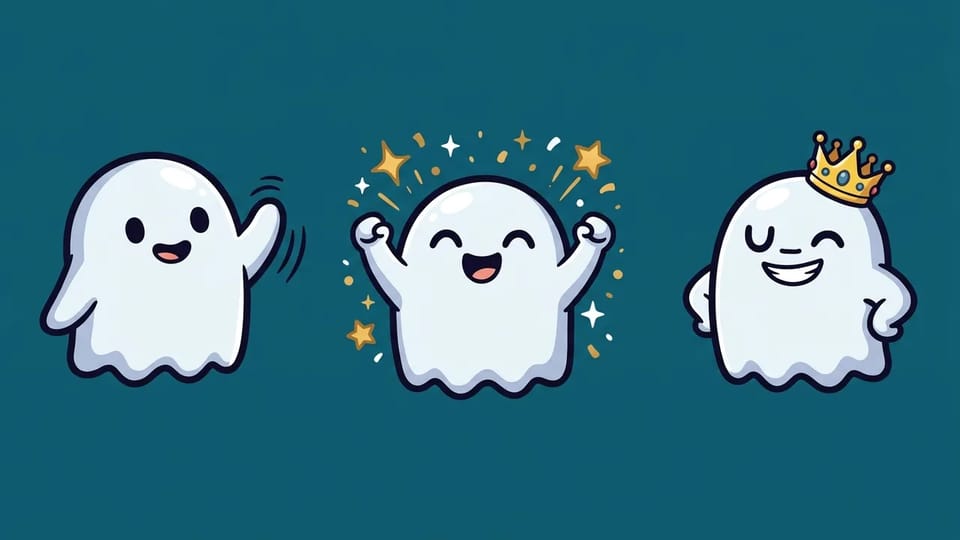
Three cartoon emotes of the same small white ghost mascot side by side: waving, cheering with sparkles, and wearing a gold crown

Sub Emotes for Every Tier

Emote slots open up as your channel grows, and each tier deserves something new, so plan how to make a Twitch emote for each one. Use the AI Twitch emote maker as a sub emote maker: draw a Tier 1 wave, a Tier 2 hype and a Tier 3 crowned version of the same mascot, so subscribers can see what each tier adds before they upgrade.

Make Sub Emotes

More Ways to Shape Emotes in the AI Twitch Emote Maker

Transparent background

Open Settings, set Background to Transparent and keep the resolution at 1K, and the AI Twitch emote maker returns a PNG with nothing behind the character. Twitch asks for emotes with a fully transparent background, so emotes from the AI Twitch emote maker sit cleanly on any chat color.

Short words like GG, RIP and LURK

Put the word in quotes in the prompt, such as “big bold letters GG”, and the emote creator draws it into the picture. Keep it to one short word so it still reads in chat, and check the spelling in the AI Twitch emote maker before you upload.

Chibi, kawaii, cartoon or pixel style

Name the style and the AI Twitch emote maker follows it: chibi, kawaii, thick-outline cartoon, anime or pixel art. Used as a chibi emote maker it keeps the big head and tiny body that read well small; a full chibi character for art or stories is a job for a chibi maker.

Redo one emote at a time

Not happy with one face in the set? Change that prompt, or add the emote as a reference and describe the fix, then generate again in the AI Twitch emote maker. The emote creator leaves the rest of your set as it is.

One square PNG for Twitch

Choose the 1:1 aspect ratio at 1K in the AI Twitch emote maker and you get a square PNG well above Twitch’s 112 pixel minimum. Twitch’s auto-resize upload takes one square PNG between 112 and 4096 pixels and under 1 MB, then makes the 28, 56 and 112 pixel sizes for you.

Start from a picture you like

Click Prompt from image, add a picture whose look you like, and the AI Twitch emote maker writes a prompt that recreates its style. Swap in your own character and reaction, and the chibi emote maker or cartoon look you liked carries over.

Emoji for Discord and YouTube too

Use the Twitch emote maker as an emoji maker for Twitch, Discord and YouTube at once: the same square PNG scales down to 128 pixels for Discord server emoji. Large Discord stickers are a different format, made in a sticker generator.

Twitch Emote Sizes and Upload Rules

Twitch takes static emotes as square PNG files with a fully transparent background, either as one large image it resizes for you or as three sizes you make yourself. The table lists both ways, plus the animated options, as Twitch’s emote guidelines give them, and how a download from the Twitch emote maker fits each one.

Twitch Emote Sizes, Formats and File Limits

Twitch emote upload options with their image sizes, file formats and file size limits, and how to use a PNG from the Twitch emote maker for each
Upload optionImage sizeFormatFile size limitWith the Twitch emote maker
Static emote, auto-resizeOne square image from 112 × 112 to 4096 × 4096 pxPNG with a fully transparent backgroundUnder 1 MBUpload the 1K square PNG from the AI Twitch emote maker as it is; if the file is over 1 MB, scale it down to 512 px first
Static emote, manual sizesThree files: 28 × 28, 56 × 56 and 112 × 112 pxPNG with a fully transparent backgroundUnder 100 KB eachResize the AI Twitch emote maker’s 1K PNG to the three sizes in any image editor, then check the 28 px file
Animated emote, auto-resizeOne square GIF from 112 × 112 to 4096 × 4096 pxGIF of up to 60 framesUnder 1 MBNot made here: the Twitch emote maker draws still PNG emotes
Animated emote, manual sizesThree GIFs: 28 × 28, 56 × 56 and 112 × 112 pxGIF of up to 60 framesUnder 512 KB eachNot made here; a still emote can be the base of an animation made in another tool

Make the emote first: open the Twitch emote maker and set the aspect ratio to 1:1 before you generate.

Questions About the AI Twitch Emote Maker

Sizes, uploads, prices, rights and privacy for the emotes you make with the AI Twitch emote maker.

Make Your First Emote With the AI Twitch Emote Maker

Type an idea or add a selfie in the AI Twitch emote maker, set a transparent background, and download your emote.