CleoPic AI logoCleoPic AI

Sketch to Image AI

Sketch to image AI turns a hand-drawn sketch, doodle or line art into a finished picture, keeping your lines and composition while it adds color, light and detail. Upload a photo or scan of your drawing, say what it shows and the look you want, and the sketch to image converter gives you a realistic photo, a digital painting or colored line art to download.

Model
References (optional)
References (optional)0/16

Up to 16 reference images · JPEG, PNG or WebP. Larger images are resized to fit.

240 / 20,000

Number of Images
Paid Feature
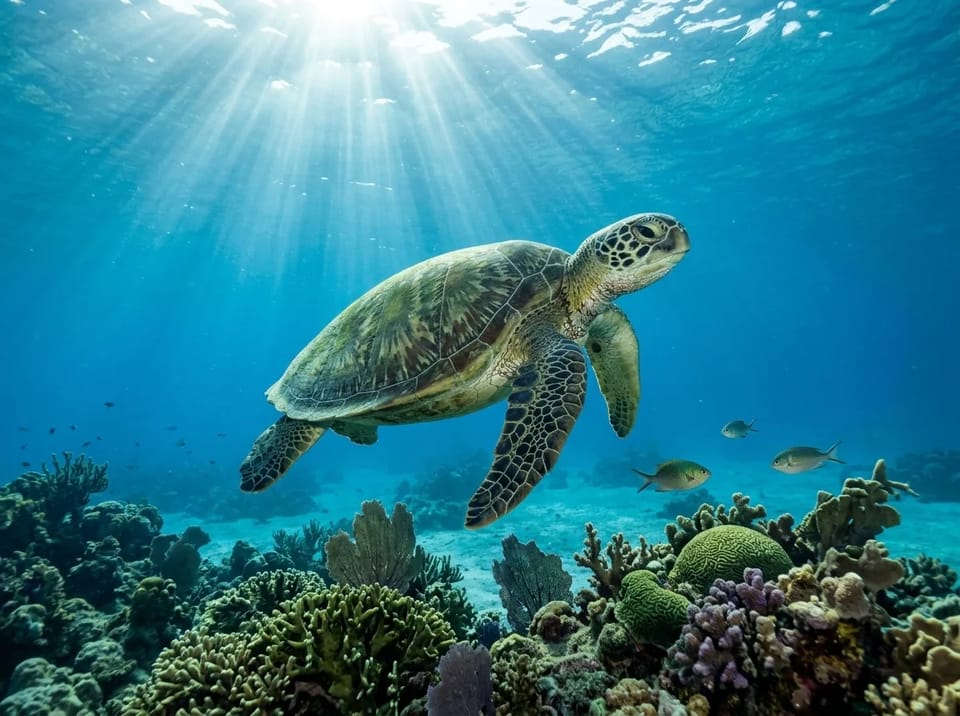
  • Realistic underwater photo of a green sea turtle swimming over a coral reef in clear blue water with sunbeams and small fish, in the same pose as the pencil sketchPhone photo of a rough pencil sketch on sketchbook paper of a sea turtle swimming above a mound of coral with three small fish and wavy water lines
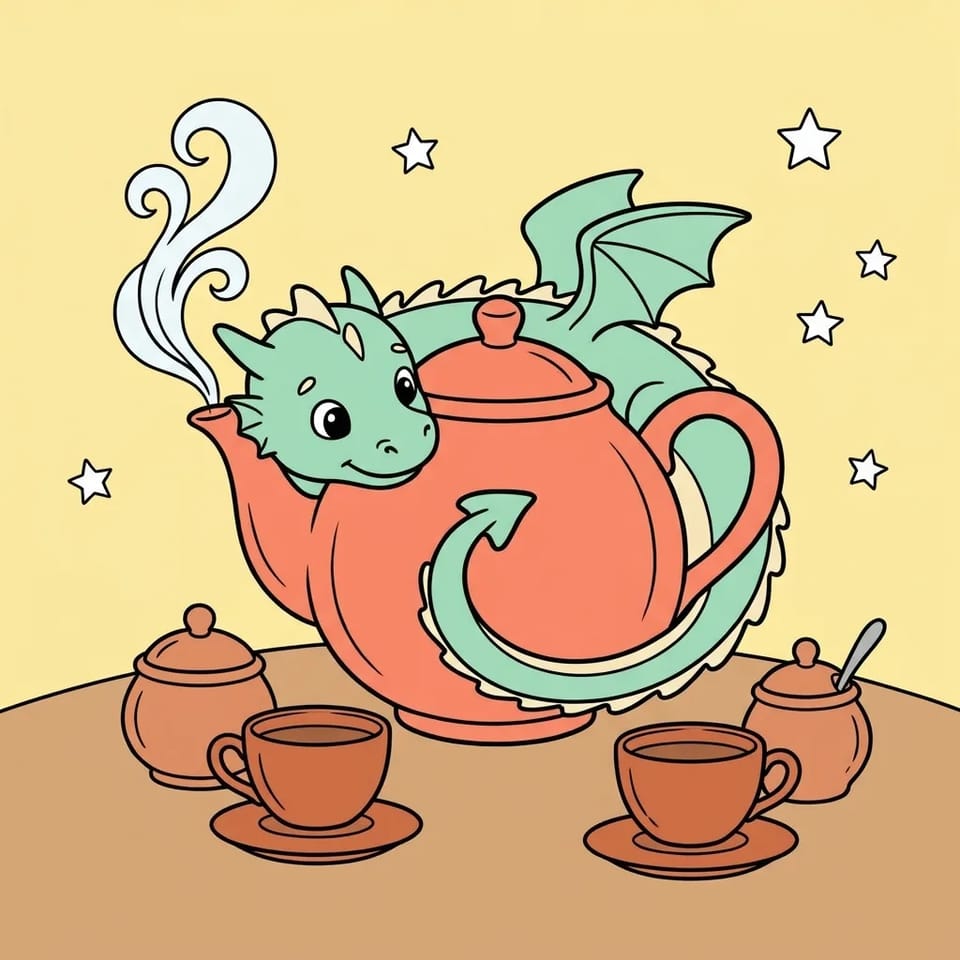
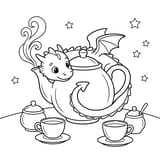
  • The same dragon and teapot line art filled with flat colors: a mint green dragon, a coral teapot, cups and pots, white steam and a pale yellow background, with the black lines unchangedBlack ink line art on white of a small dragon curled around a big teapot with curling steam, two teacups on saucers and two small lidded pots, with a few stars around
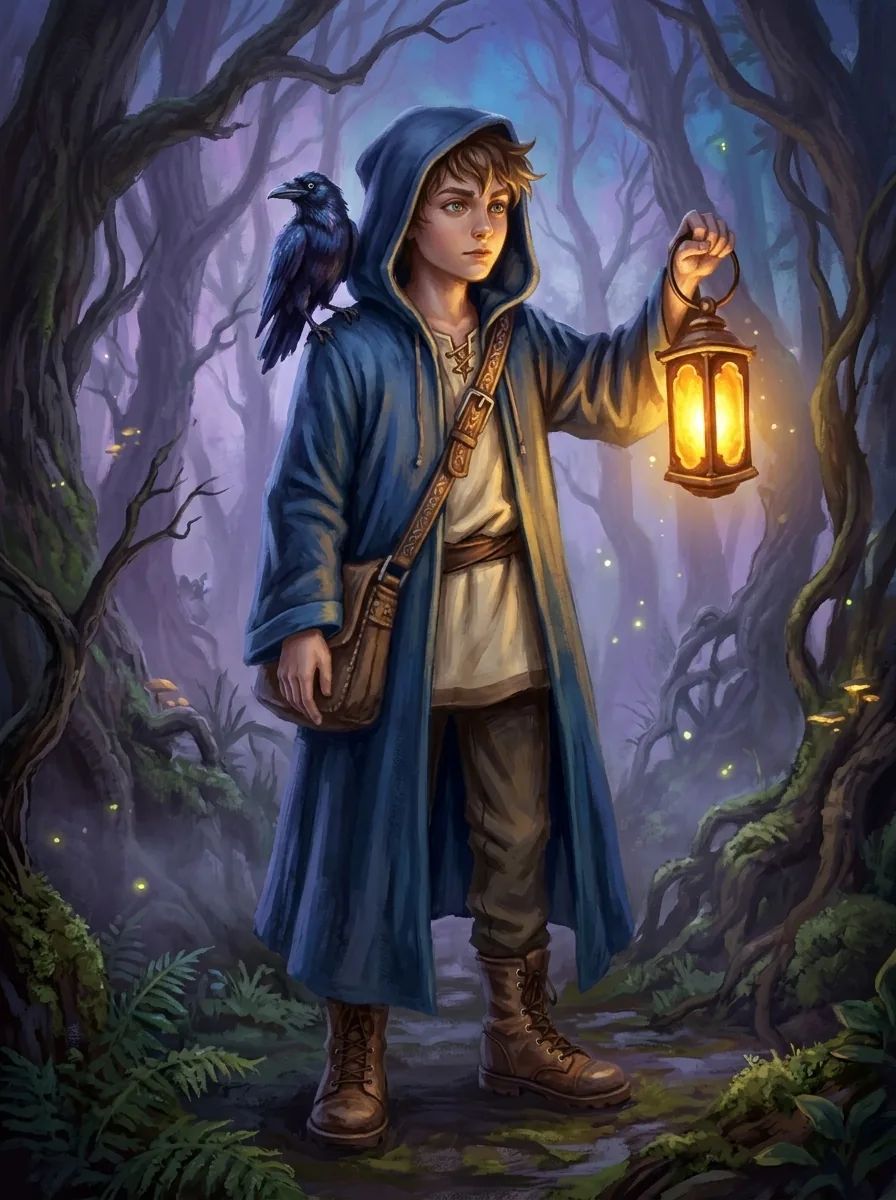
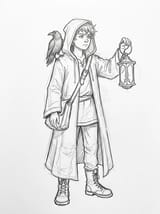
  • Fantasy digital painting of the young wizard in a deep blue hooded cloak holding a glowing amber lantern, a black raven on his shoulder, in a misty forest at dusk, in the pose of the sketchScanned pencil sketch on white paper of a young wizard boy in a hooded cloak holding up a lantern, with a raven on his shoulder and a satchel strap across his chest

More Tools

How to Use Sketch to Image AI in 4 Steps

Click Add under References and upload a photo or scan of your drawing to sketch to image AI. Shoot the page straight on in daylight so the lines are dark and the paper is even.

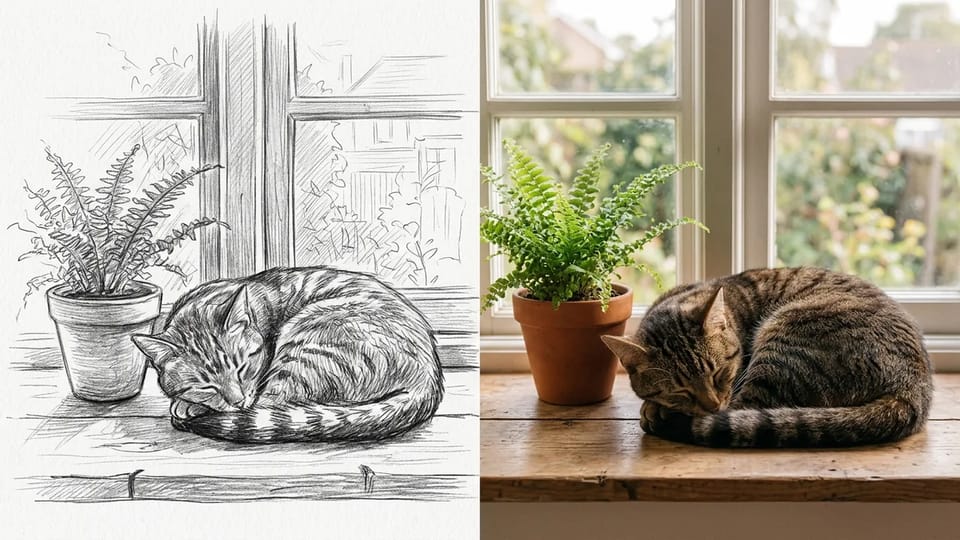
Side-by-side picture with a pencil sketch of a tabby cat asleep on a windowsill beside a potted fern on the left and a realistic photo of the same cat, fern and window on the right

Convert Sketch to Photo With Sketch to Image AI

Add a pencil sketch, ask for a realistic photo, and the sketch to image AI works as a sketch to photo AI: it renders the same scene as a photograph, real fur, wood, water and skin, lit the way you describe. Your sketch sets where everything goes and the prompt says what each shape is, so a few lines of a cat on a windowsill come back from sketch to image AI as a sunlit photo of that cat in the same spot.

Describe the light and the lens the way a photographer would, such as “soft morning window light, shallow depth of field, natural colors”, and the sketch to image AI works as a sketch to photo converter for pets, people, landscapes and still lifes. To convert sketch to photo well, name any shape that could be two things, like “a fern, not a palm”. Turning a photo into a pencil drawing is the reverse job, done by a photo to sketch tool.

Turn My Sketch Into a Photo
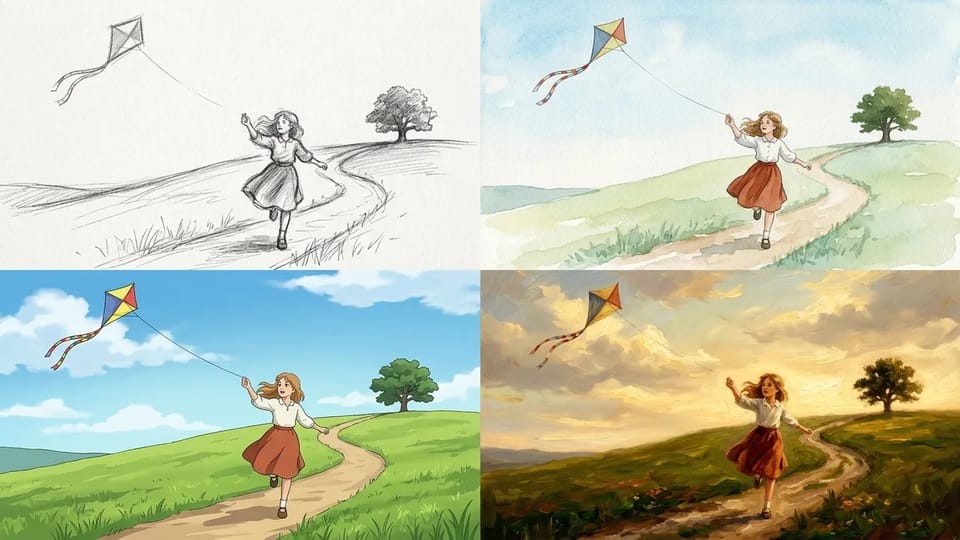
Grid of four pictures of the same girl flying a kite on a grassy hill: a pencil sketch, a watercolor painting, a cel-shaded anime illustration and an oil painting

Sketch to Image AI as a Drawing to Digital Art Converter

Sketch to image AI is not limited to photos. Write the style after the subject, such as watercolor, anime, oil painting, comic ink or children’s book illustration, and the same sketch comes back in that look with your composition kept. As a drawing to digital art converter, the sketch to image AI turns one pencil drawing into several finished versions to compare.

Keep the subject words the same and change only the style words between sketch to image AI runs, and you see which look suits the drawing before you commit to it. To borrow the look of a picture you like, add it to sketch to image AI as a second reference image. Restyling a finished photo is a job for AI style transfer, and making new pictures from any reference image, not only a sketch, is what image to image AI covers.

Try My Sketch in a New Style
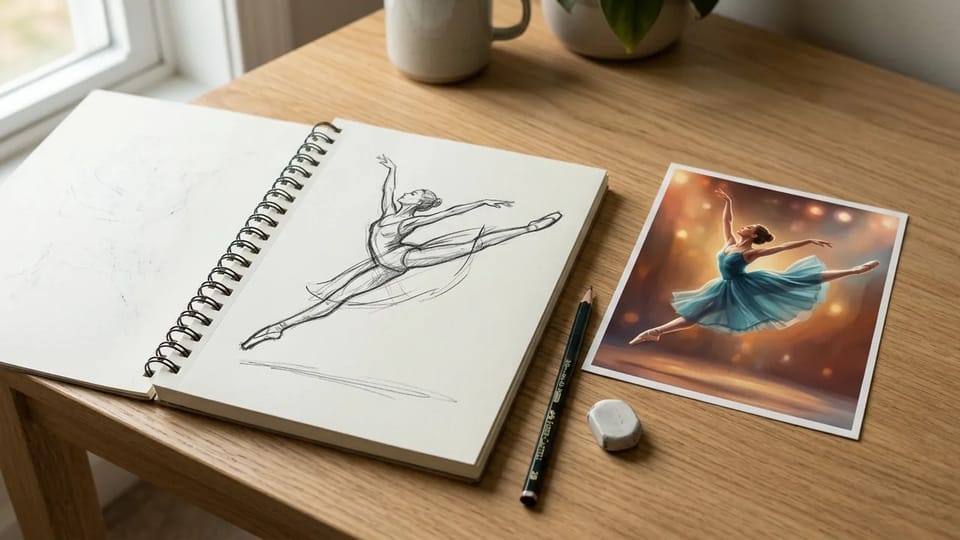
Open sketchbook with a quick pencil gesture sketch of a ballet dancer leaping, next to a printed painting of the same dancer in a teal dress in exactly the same leap

Sketch to Image AI That Keeps Your Lines and Pose

The sketch to image AI reads your drawing as a map: where each line runs, how big each shape is and which way the figure faces. Write what must not change, such as “keep the pose, the proportions and the composition of my sketch”, and the sketch to image AI result follows your gesture instead of a stock pose the model would have picked.

Every model balances your lines against what it expects the subject to look like, so a very loose sketch can drift. Darker outlines, a short note on what to keep and a second run usually fix it, and another model in the Model menu may follow the sketch more closely. Put the sketch to image AI result next to your sketch and compare the outlines before you download.

Keep My Sketch’s Pose

What People Make With Sketch to Image AI

Parents, illustrators, writers and anyone who doodles in the margins use sketch to image AI to turn drawings they already have into pictures they can print, share or build on.

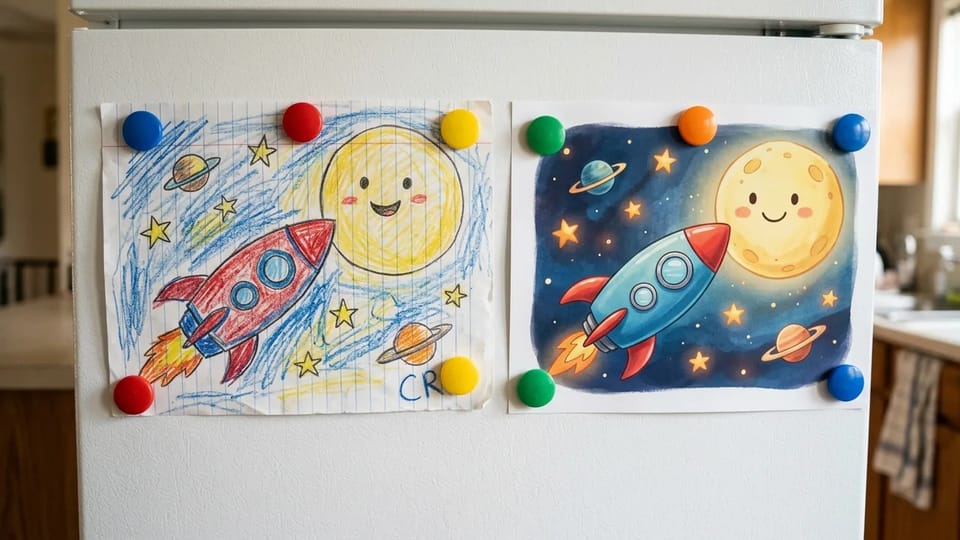
A child’s crayon drawing of a red and blue rocket flying to a smiling moon on a fridge door, next to a printed storybook illustration of the same rocket and moon

Bring Kids’ Drawings to Life

Photograph your child’s crayon drawing and ask sketch to image AI for a colorful storybook picture that keeps their rocket, their moon and their wobbly smile. The sketch to image AI result keeps the child’s idea and layout, so the picture still feels like theirs, ready to print for the fridge, a birthday card or a family photo book.

Bring a Drawing to Life

More Ways to Use Sketch to Image AI

Paper sketches, scans and tablet drawings

Photograph a paper sketch in good light, scan it, or export a drawing from your tablet, then click Add under References. The sketch to image converter takes JPEG, PNG and WebP files of up to 30 MB on the default model, and a flat, evenly lit photo gives sketch to image AI the clearest lines to follow.

Rough sketches and doodles welcome

You do not need to draw well. A stick figure, a quick doodle or a child’s drawing is enough for sketch to image AI as long as the main shapes can be recognized, because the prompt fills in what the lines leave out.

Color line art without redrawing it

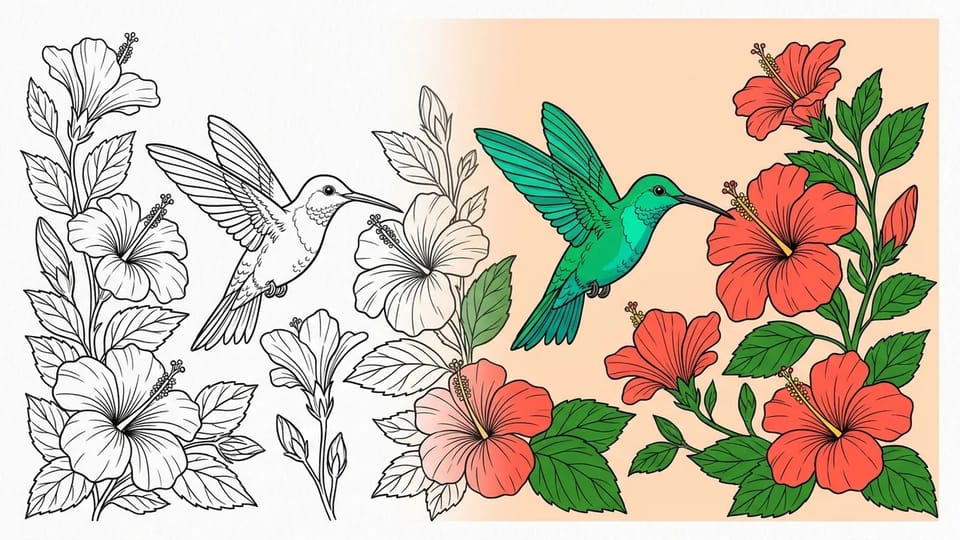
Upload clean line art and write “keep every line, only add flat colors”, and the sketch to image AI fills the shapes instead of painting over them. Name a palette, such as pastel or bold primary colors, to set the mood of the sketch to image AI result.

Pick a model for each sketch

Open Model and choose from the Nano Banana, GPT Image, Seedream and Grok Imagine models. Some stay closer to your lines and others add more detail, so run the same sketch to image AI prompt on a second model when the first result drifts. Choosing between whole AI image generator sites is a bigger comparison than picking a model here.

Aspect ratio and resolution

Open Settings to match the aspect ratio to your sketch, such as 4:3, 3:4 or 1:1, and pick a resolution from 1K up to 4K, depending on the model. Sketch to image AI results download as PNG or JPG files, depending on the model.

Sketch to photo AI from clear lines

Dark lines on light paper, an even photo with no shadow across the page and a crop that leaves out the desk help sketch to image AI read your drawing, and they matter most when you use it as a sketch to photo AI. Erase stray marks you do not want turned into objects.

Help with the prompt

Not sure what to write? Type a short note such as “make it a photo” and click Optimize prompt, and the sketch to image AI suggests three fuller prompts to pick from and edit before you generate.

Sketch to Image AI Prompt Guide by Sketch Type

The prompt tells sketch to image AI what your lines mean and what must stay the same. Different drawings need different words: a pencil sketch for a photo needs light and materials, line art needs colors and a promise to keep every line. The table lists, for each kind of sketch, what to say, what to tell the AI to keep, and a prompt you can copy and change.

What to Write in a Sketch to Image AI Prompt

Prompt advice for sketch to image AI by kind of sketch: what to describe, what to tell the AI to keep, and an example prompt
Kind of sketchSay in the promptTell it to keepExample prompt
Pencil sketch for a realistic photoThe subject, its materials, the light and the words “realistic photo”, which turn the tool into a sketch to photo converterThe pose, the framing and where each object sits“A tabby cat asleep on a wooden windowsill beside a fern, realistic photo, soft morning light. Keep the pose and composition of my sketch.”
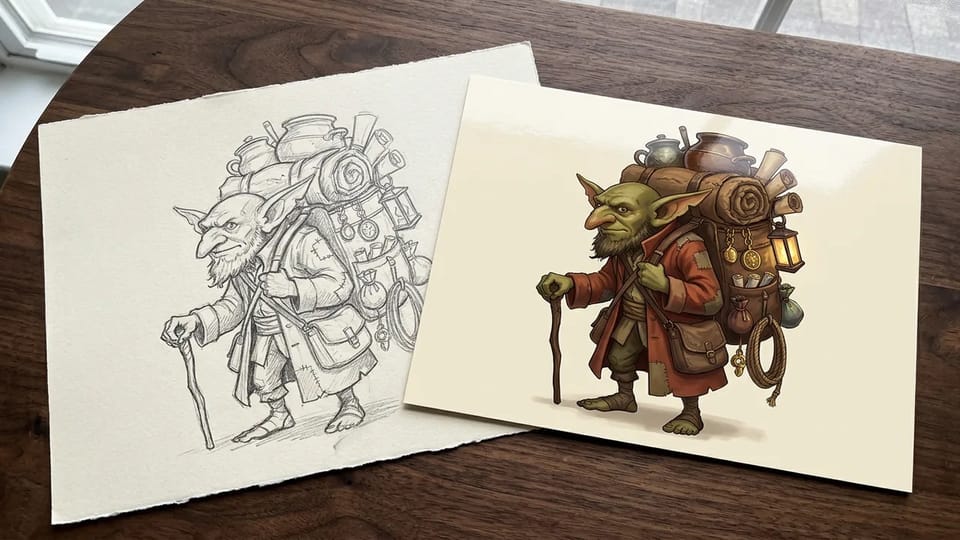
Character sketchWho the character is, outfit colors, props, setting and an art styleThe pose, the face and the outfit details you drew“A goblin merchant with olive skin and a rust red coat, fantasy character art on a plain background. Keep his pose, backpack and face from the sketch.”
Inked line artThe color of each part and flat or soft shadingEvery line exactly as drawn, with no new lines“Color this line art: emerald hummingbird, coral red flowers, green leaves, flat colors. Keep every black line exactly as it is.”
Child’s drawingWhat each shape is meant to be and a storybook or photo lookThe child’s layout, colors and funny proportions“A red and blue rocket flying to a smiling yellow moon, colorful children’s book illustration. Keep the layout and shapes of the drawing.”
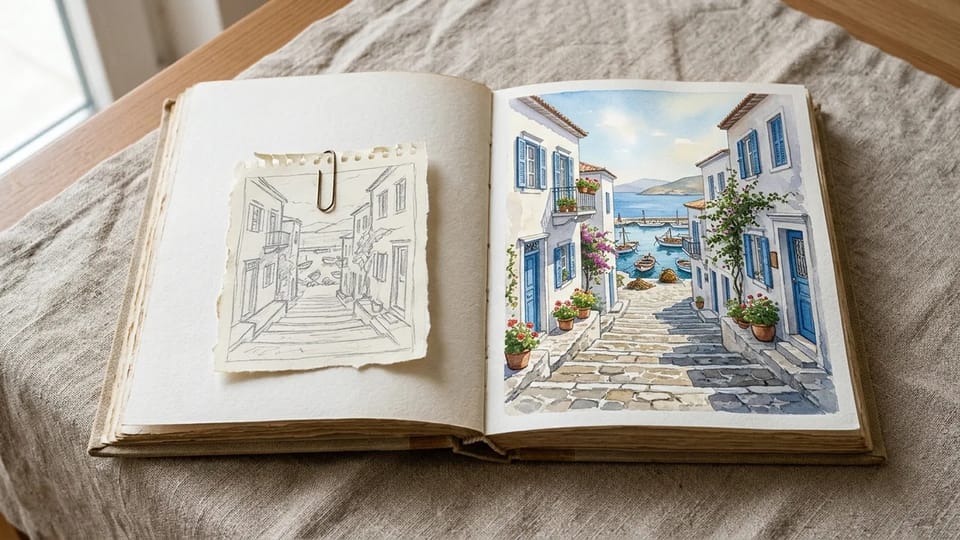
Landscape or scene thumbnailThe place, time of day, weather and a painting styleThe horizon line and the position of the main shapes“A narrow seaside village street with stone steps down to a harbor, watercolor illustration, afternoon light. Keep the layout of my thumbnail.”
Rough doodle or stick figureWhat it is, what it is doing, and a name for any unclear shapeOnly the layout; let the AI redraw the lines“A girl flying a kite on a grassy hill, the diamond shape is the kite, anime illustration. Keep where the girl and the kite are.”

Ready to try one? Upload your sketch and paste the prompt for its kind into the Prompt box of the sketch to image AI.

Sketch to Image AI Questions

Uploads, styles, prices, rights and privacy for the pictures you make with sketch to image AI.

Turn Your Next Sketch Into a Picture With Sketch to Image AI

Upload a sketch, say what it shows and the look you want, and let sketch to image AI render it as a photo or a painting.